Hemmingway
A downloadable tool for Windows, macOS, and Android
Hemmingway writes when you don't want to
Hemmingway is an AI assistant for correspondence and creative writing. It reads your mail and chats, drafts replies the way you would, and asks before anything goes out in your name.
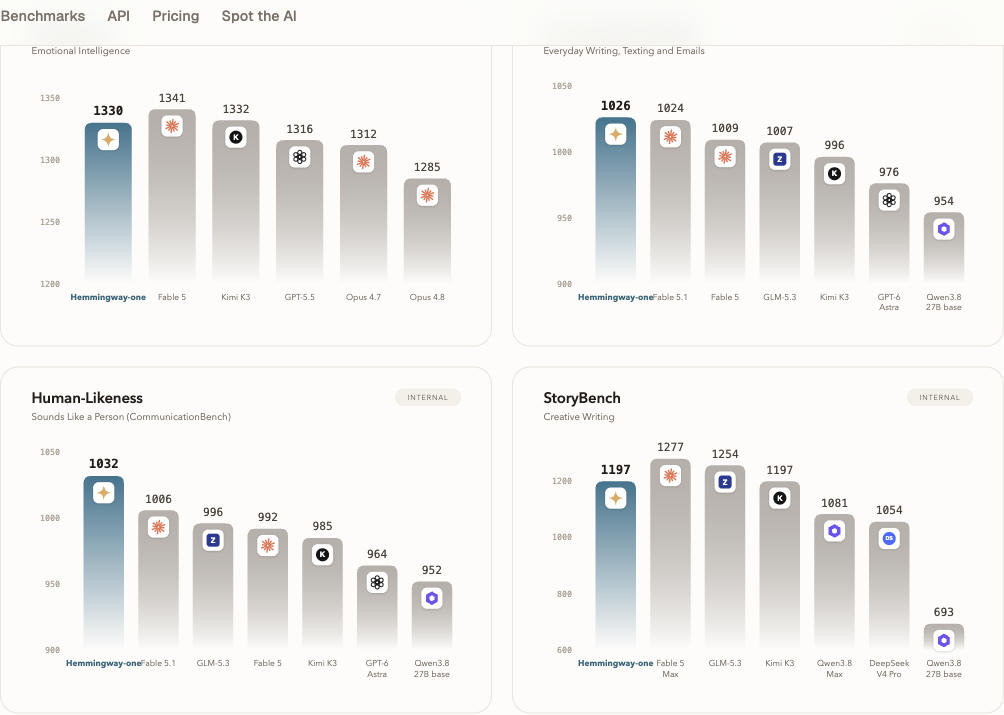
It writes like a person, not a machine. Under the hood is Hemmingway-1, our own 27B model. It scored 1330 on the public EQ-Bench 4 in September 2026, third of 27 models on that board.
What it does:
- Drafts emails, texts and messages that sound like you
- Reads your mail and chats (WhatsApp, Teams, iMessage, GitHub, calendars)
- Autopilot on Android works through your inbox for you, asking first
- Two answers in-app: compare Hemmingway's reply against another model, blind
Apps for Mac, Windows and Android, plus the web version.
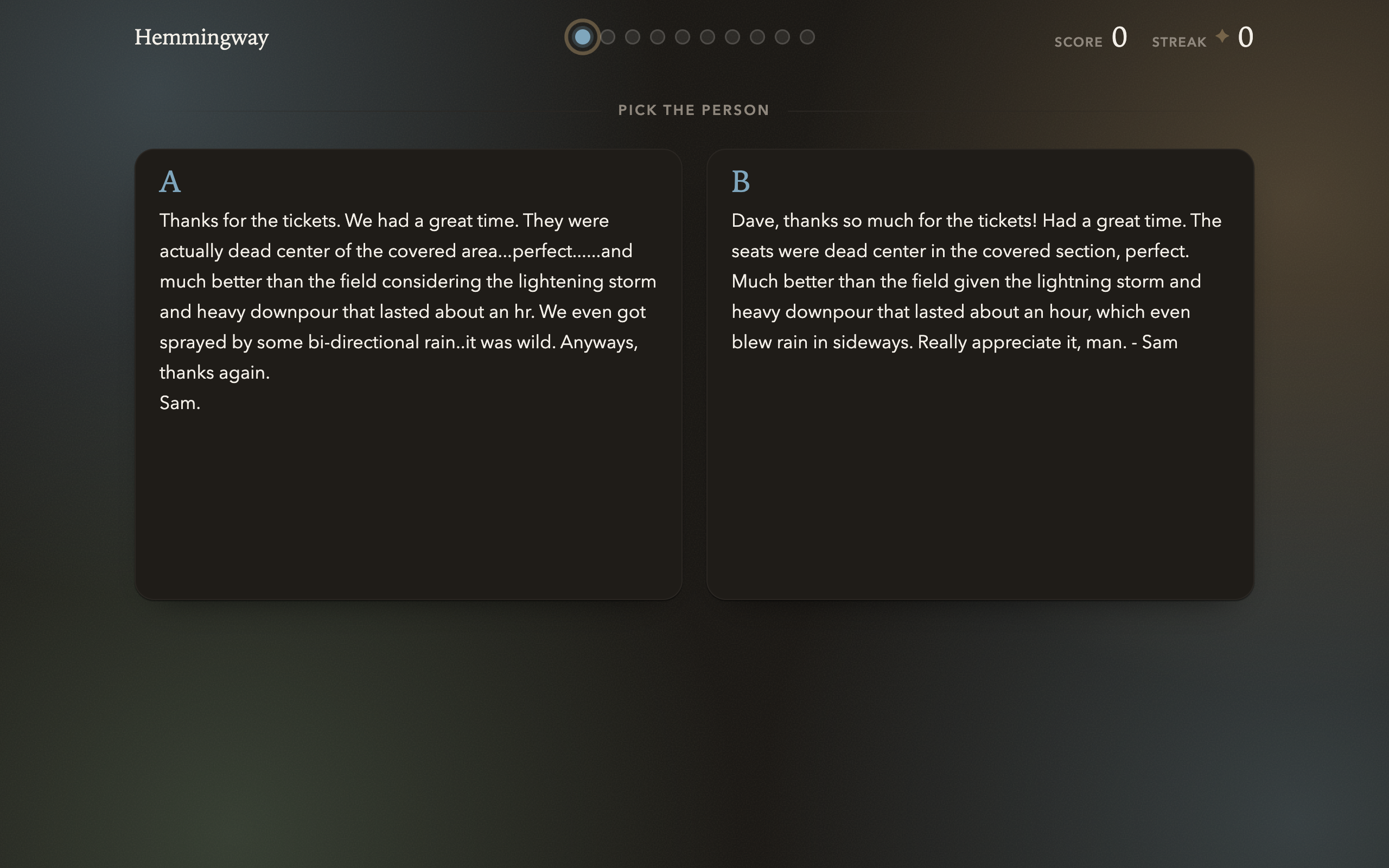
There's also a game to try: Spot the AI, ten rounds, pick the human (hemmingway.io/spot).
Try it: https://hemmingway.io
Support: support@hemmingway.io
Download
Install instructions
Grab the file for your platform below and follow the steps under it.
Mac (.dmg)
Open Hemmingway.dmg, drag Hemmingway into Applications, then launch it from there. On first run macOS will say it could not check Hemmingway: hit Done, go to System Settings -> Privacy & Security, and click Open Anyway next to Hemmingway. Enter your password to confirm.
Windows (.exe)
Open Hemmingway-setup.exe. If Windows says it protected your PC, click More info, then Run anyway.
Android (.apk)
Open Hemmingway.apk. When Android asks whether your browser can install apps, say yes, then tap Install. If you want to connect texts and chat apps, Android might ask you to open Hemmingway's App info; tap the ⋮ menu and Allow restricted settings.
Hemmingway isn't signed by Apple or Microsoft yet and isn't on the Play Store, so each device asks once before letting it through. Want to skip all that? Nothing to install for the browser version: hemmingway.io/app. Stuck somewhere? support@hemmingway.io
Development log
- Hemmingway is live.4 days ago
Leave a comment
Log in with itch.io to leave a comment.